MONITOR ARM BUYING GUIDE
Three dual-monitor mounts for three different desk setups.
Prepared September 28, 2026 · Specifications checked against the linked Amazon listings
Affiliate disclosure: As an Amazon Associate I earn from qualifying purchases. If you buy through a product link on this page, Fieldwork may earn a commission at no additional cost to you.
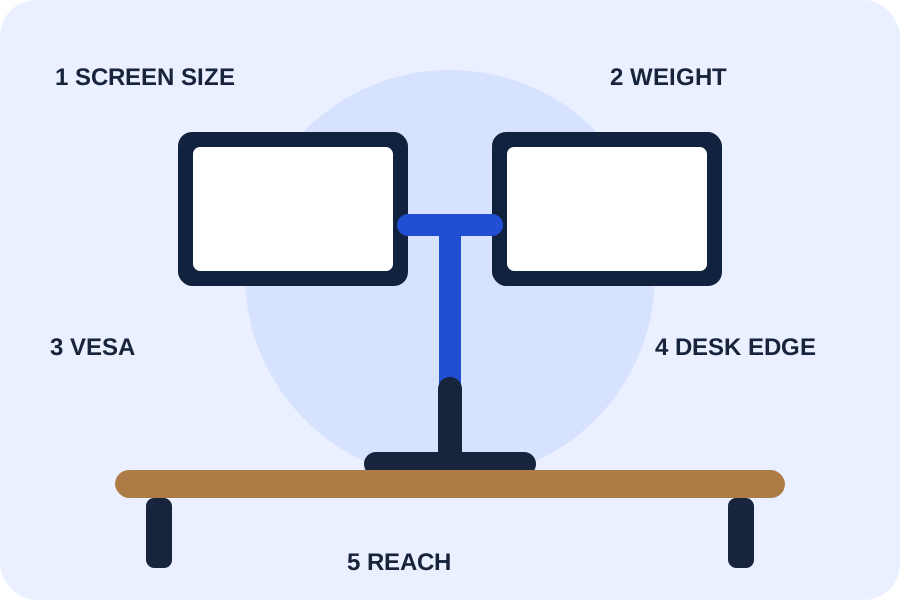
Start with compatibility, then choose how much adjustment you need. We compared the current listing specifications; we have not purchased or hands-on tested these mounts.
Check these five things first
1. Screen sizeMeasure the diagonal of each monitor.
2. Screen weightUse the weight without the factory stand.
3. VESA patternConfirm 75×75 mm or 100×100 mm mounting holes.
4. Desk edgeMeasure thickness and inspect for a rear crossbeam.
5. PositionDecide whether each screen must move independently.
Quick comparison
| Use case | Model | Listed screen fit | Listed load per arm | Mounting notes |
|---|
| Budget, fixed-pole layout | VIVO STAND-V002 | 13–30 in. | Up to 22 lb | C-clamp or grommet; desks up to 3.25 in. |
| Everyday independent movement | HUANUO FlowLift | 13–32 in. | 4.4–19.8 lb | C-clamp or grommet; wood desks 0.59–3.54 in.; avoid an obstructing crossbeam |
| Larger or heavier screens | HUANUO HNDS7 | 13–40 in. | Up to 26.4 lb | C-clamp or grommet; desks up to 3.54 in.; dual clamp base |
BUDGET BASELINEVIVO STAND-V002
A steel, center-pole design for two monitors when cost matters more than frequent independent repositioning. The listing specifies 13–30 inch screens, up to 22 pounds per arm, VESA 75×75 or 100×100, and clamp or grommet installation.
Check before buying: Its arms adjust along a center pole. Confirm that this movement style works for your preferred monitor heights and depths.
Check current details on Amazon ↗
BEST GENERAL FITHUANUO FlowLift
Independent full-motion arms for 13–32 inch screens weighing 4.4–19.8 pounds each. The listing specifies VESA 75×75 or 100×100, a 15.75-inch maximum height, and a 17.32-inch maximum extension.
Check before buying: HUANUO recommends a wood desk 0.59–3.54 inches thick and says the underside must not have a crossbeam or panel that blocks installation.
Check current details on Amazon ↗
HEAVIER-SCREEN OPTIONHUANUO HNDS7
A larger aluminum dual-arm model listed for 13–40 inch screens up to 26.4 pounds each. The listing specifies VESA 75×75 or 100×100, arms that rise to 21.1 inches and extend to 25.59 inches, plus two built-in USB ports.
Check before buying: Verify your monitor weight and desk structure. A higher capacity does not make every desktop suitable for a clamp mount.
Check current details on Amazon ↗
How to choose
Choose the VIVO when both screens fit its range and you expect to set the height once. Choose the FlowLift when you want independent arms and both screens fall inside its narrower weight limit. Consider the HNDS7 when either screen is larger or heavier, or when you need more reach. Reject any option that fails even one size, weight, VESA, desk-thickness, or underside-clearance check.
Prices and availability change. We intentionally do not publish a fixed price here. Confirm the current seller, product version, specifications, return terms, and price on Amazon before purchasing.
Sources: Amazon product listings for ASINs B009S750LA, B07T5SY43L, and B07X262MRK, reviewed September 28, 2026. Ratings and sales-volume badges were excluded because they change frequently.
Next: plan the whole workspace before shopping →